Web Publishing Seminar in Adobe Acrobat (PDF) Format
“
Hypertext would be a difficult
notion to understand if we weren't so good at it already.
”
“
Producing a PDF file is as easy as
choosing Print from the File menu.
”
Battle of the Acronyms: HTML, PDF and Publishing on the Web
Seminar
presented at the Catholic Press Association National
Convention, May 22, 1997 by
Christopher C. Brown
Philosophy Behind the World Wide Web
Linearity vs. Hypertextuality
The Language of the Web
The New Revolution in Publishing
HTML vs. PDF
Learn by Example
The Dilemma: Deciding Between and Online Newsletter and a Newsletter Online
Other Issues
Philosophy Behind the World Wide Web
Linearity vs. Hypertextuality
Human beings are unique among the creatures on earth. We are capable of language. Language is simultaneously linear and non-linear. When we speak we use strings of sounds called phonemes. It is linear also when we read, because we read in a straight line. Classical Chinese literature is read from top to bottom, right to left, Arabic is read across the page, right to left, and English is the opposite, but in each case the notion of linearity is noticeable.
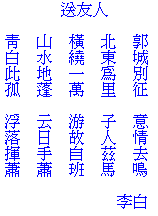
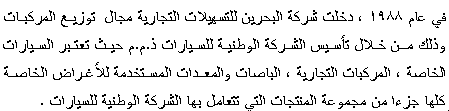
Such is not the case with the human mind. We do not think in linear patterns. The human mind is distinctively non-linear. For some time linguists and others have called this non-linear capability "hypertextuality." Hypertext would be a difficult notion to understand if we weren't so good at it already. When you read a book and come across a word you don't know, what do you do? You stop and look that word up in a dictionary. If you encounter a reference to Mozart, your mind may begin to replay one of your favorite symphonies.
Hypertext is the ability of the mind to make a link from one concept to a related concept in a non-linear manner. Examples of hypertextual behavior exist in everyday life. A newspaper begins a story on page one, and then you must follow links for the rest of the article in the rest of the paper. All the time you are bombarded by advertisements that have nothing to do with the news, but are intended to divert your attention. Footnotes in a research paper provide links to crucial information that is not directly part of the linear argument of the article, but is essential to giving credibility or background to the topic.
The World Wide Web enables us to combine the strength of linear language with the hypertext links used by human mental processes into an intuitive and easy to use format.
Sadly, most Web publishers fail to take full advantage of hypertext linking. In this seminar we will look at ways to maximize the Web, hypertext, and the medium of Web publishing.
The Language of the Web
The language of the World Wide Web is HTML -- hypertext markup language. To mark something up is to place meaningful codes in significant places. An editor or proofreader marks up a document suggesting changes of spelling, punctuation, or content. On the Web HTML is used to mark up text in ways that browsers such as Netscape Navigator or Microsoft Internet Explorer can understand and interpret.
HTML is a very simple and easy to learn coding system. This renders it very powerful and easy for non-programmers to use.
The New Revolution in Publishing
The first revolution in publishing came with Guttenberg and the invention of moveable type. We are now beginning to see a second revolution in publishing: the digital age. This is not to say that books are now irrelevant. Print media will continue to be relevant for generations to come. Yet the reality is that digitization has revolutionized access to information for hundreds of thousands of people. As the revolution grows, the numbers will become more universal.
- This leads to several background questions regarding publishing:
- If we provide electronic access to our newsletter, should we provide access to an exact representation to the physical format, or should we provide access to a new electronic format?
- What is the primary goal of your publication: to look nice in print? To provide electronic access to your ideas? To solicit interaction from readers? To provide access to archived back issues? To provide access by means of subject indexing?
HTML vs. PDF
HTML and PDF each have a different feel and look. Not only are they different for the author, they are also different for the reader. An advantage of HTML is that it is self-tutoring. You can always look the the HTML coding behind the Web page and learn how to do it yourself. It is very easy to learn (REALLY!!) as evidenced by the proliferation of personal Web pages on the Web. Another advantage of HTML is the ease with which hyperlinks (anchors) can be integrated into pages.
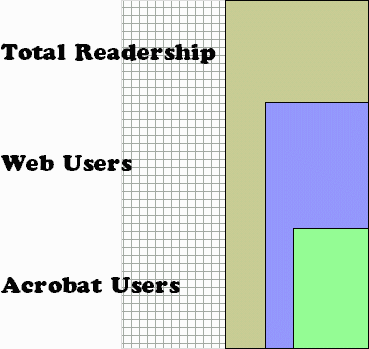
Adobe Acrobat (PDF) files also have many strengths. The files tend to be very compact, saving the time of the user, while supporting text, graphics, and other media formats. PDF files preserve the original look of the document — fonts, page breaks, line breaks — all appear as they would in a print original. Also, all major browsers support PDF files as a helper application. PDF is a registered file type along with JPEG, GIF, and HTML.
Producing Your Web Newsletter: the Nuts and Bolts
So now you understand a little bit more about the differences and strengths of HTML and PDF formats. What are the options available to you in implementing your newsletter project? We will first examine three options for writing HTML, and one option for PDF format.
Now we will discuss the specific options of producing your digital newsletter.
Raw HTML
Engineers love raw HTML. They take pleasure is seeing beautifully displayed code, like part of the code for this page:
<!DOCTYPE HTML PUBLIC
"-//IETF//DTD HTML//EN">
<html>
<head>
<meta http-equiv="Content-Type"
content="text/html; charset=iso-8859-1">
<meta name="GENERATOR"
content="Microsoft FrontPage 2.0">
<title>Battle of the Acronyms: HTML, PDF
and Publishing on the Web</title>
</head>
<body bgcolor="#FFFFFF"
link="#008080" vlink="#FF0000">
<table border="0"
cellpadding="4" cellspacing="5"
width="100%">
<tr>
<td valign="top"
width="30%" bgcolor="#C0C0C0"><p> </p>
<p><a href="http://www.du.edu/~cbrown/"><font
color="#008080" size="3"><strong>Chris Brown's Home
Page</strong></font></a></p>
<p><font color="#008080"
size="3"><strong>Web Publishing
Seminar (HTML)</strong></font></p>
<p><font color="#008080"
size="3"><strong>Web Publishing
Seminar (PDF)</strong></font></p>
<p><font color="#008080"
size="3"><strong>Seminar Slides</strong></font></p>
<p><font color="#008080"
size="3"><strong></strong></font> </p>
</td>
Rather than teaching everything about writing your own HTML code here, please examine these Web sites which provide guides for writing your own HTML
- HTML Design Tips http://www.stoopidsoftware.com/tips/
- Web Developer's Virtual Library http://www.wdvl.com/
Code-Based HTML Editors
Code-based editors are software packages that guide you in generating HTML code. With the good code editors, you really don't have to know any HTML, but after working with it for a while, you will pick it up.
One of the most popular packages is
- HotDog http://www.sausage.com/
Graphics-Based HTML Editors
With graphics based editors, text and pictures are place on Web pages with no thought of the existence of HTML. The most popular package is
- Microsoft Front Page http://www.microsoft.com/frontpage/
PDF Production
While HTML can be created without special software, PDF documents cannot. It is necessary to purchase Adobe Acrobat, the software that generates PDF files. You can read about it from the Adobe Systems homepage.
Acrobat files can be read for free by downloading the Acrobat Reader. Acrobat Reader is a free companion to the Adobe Acrobat software that enables viewing of Adobe Acrobat documents (3.0 or lower). Viewers are available in numerous platforms, including Windows 95, Windows NT, Windows 3.1, Macintosh, LINUX, IBM IAX, Sun OS, OS2 Warp, DOS, and others. The download for Windows 95 is nearly 4MB, but well worth the time:
Other helpful information on PDF files can be found in:
- Creating Killer Websites http://www.killersites.com/core.html
- Acrobat 3.0 and PDF version 1.2
Portable Document Reference Manual [PDF]
http://beta1.adobe.com/ada/acrosdk/DOCS/PDFSPEC.PDF
The entire text of the book Internet Publishing with Acrobat by Gordon Kent is available here in PDF format:
- Internet Publishing with Acrobat
http://www.novagraphix.com/Internet_Publishing_with_Acrobat/
Producing a PDF file is as easy as choosing "Print" from the "File" menu. Rather than printing to your usual printer, you select Acrobat as your "printer." Any file that can be printed to paper can also be printed to Acrobat. This includes word processing, desktop publishing, database, spreadsheet, and graphics programs.
HTML/PDF Generators Built into Publishing Software
Some applications have built-in generators that will output your document to either HTML or PDF format. Microsoft Word for Office 97, for example, outputs documents to HTML format. You will likely be disappointed by the results however.
Better results are produced by Adobe’s PageMaker 6.5 for Windows. Since Adobe made both PageMaker and Acrobat this should be no surprise.
Learn by Example
Examples of good HTML
- MIT Technology Review http://web.mit.edu/afs/athena/org/t/techreview/
The MIT Technology Review is an excellent example of HTML design. Newsletter designers will also appreciate the content of the May/June 1997 issue.
Examples of PDF files:
- My Treaty Guide http://www.du.edu/~cbrown/Treaties.pdf
- IRS Tax Forms http://www.irs.ustreas.gov/prod/forms_pubs/index.html
The Dilemma: Deciding Between a Newsletter Online and an Online Newsletter
By "Newsletter Online" I mean a digital version of your print publication. An "Online Newsletter," on the other hand, is your newsletter converted to electronic format and fully taking advantage of the notion of hypertext. The former is best implemented with Acrobat, while the latter is best implemented with HTML.
| Newsletter Online | Online Newsletter |
| Uses PDF to preserve original look o print format. | Uses HTML to take advantage of hyperlinking. |
| Less work for publisher, but not every potential user will have access. | More work for publisher, but provides wider access. |
| Greater precision and uniformity of look. | Less control of look but greater access to outside links. |
| Static feel: not encouraged to interact. | Dynamic feel: Feedback easily solicited by form or email. |
In fact, the choice is not so difficult because you can easily to both!
Other Issues
Cost
So what does all this cost? In an ideal world we might want to purchase the following:
| PageMaker 6.5 | $559.95 |
| Acrobat | $199.95 |
| Front Page | $139.95 |
| $899.85 |
On a budget? You can always write your own raw HTML at no cost!
Publicity
Perhaps the best way to advertise your Web site is to put your URL on existing literature. That way Web-savvy users will visit your site.
Archiving
Back issues should be archived online for years. Not doing so only communicates that your publication has no value and is a "tosser."
Indexing
As the backlog of back issues increases access to information becomes all the more important. Articles could be indexed by author, title, and subject. This takes time but multiplies value for the hard work you’ve done in the past.