Notes for Class 2
Size of the Internet
June 2009: Estimated 5,000,000 terabytes. Google has indexed roughly 200 terabytes of that (0.004%). (http://www.wisegeek.com/how-big-is-the-internet.htm)
Sept. 2010: http://netforbeginners.about.com/od/weirdwebculture/f/howbig_isthenet.htm
The Staggering Size of the Internet: http://mashable.com/2011/01/25/internet-size-infographic/
The State of the Internet: http://www.focus.com/images/view/48564/
Size of the World Wide Web: http://www.worldwidewebsize.com/
Historic Intetnet Statistics related to World Population: http://www.internetworldstats.com/emarketing.htm
Internet Usage Statistics - The Big Picture: http://www.internetworldstats.com/stats.htm
Using Rare Words to Estimate Search Engine Index Sizes: http://www.seobythesea.com/?p=2825
See also: http://www.internetworldstats.com/stats.htm
Size of the Internet in 1999
800 million Web pages; 6 terabytes of text data; 3 million servers (as of Feb. 1999) [Lawrence & Giles]. This only includes the "publicly indexable" Web.
How Much Information? 2003: http://www.sims.berkeley.edu/research/projects/how-much-info-2003/. See especially Internet section
Static vs. Dynamic Web pages
Static Web pages almost always end in .htm, .html, .shtml, .htmls, or similar extensions. The URLs are generally shorter, and generally do not contain strange strings of nonsensical characters.
Dynamic Web pages do not exist until they are called into existence in response to a query. They usually contain many strange character strings and would be nearly impossible to type. Usually, you should not give out a dynamic URL to someone (although there are exceptions). They often are powered by software such as Microsoft's Active Server Pages - asp, Oracles's JavaServer Pages -jsp, Adobe's ColdFusion - cfm, or PHP: Hypertext Processor - php.
Examples:
1. Try finding the full text of this document on the Web: Estimates of thermochemical relaxation lengths behind normal shock waves relevant to manned lunar and Mars return missions, the aeroassist flight experiment, and Mars entry.
Now, find the full text of this in the NASA Technical Reports Server.
Using Google, can you see if Penrose Library owns this document?
Now, try finding the document using Peak.2. Try finding the view of earth from the sun at the moment you were born using Google.
Now, find this information using http://www.fourmilab.ch/cgi-bin/uncgi/Earth/
Types of Search Engines
Comprehensive
No search engine is comprehensive, in that no engine indexes every indexable Web page. But search engines that try to index as many as possible can be considered comprehensive.
Google: http://www.google.com/
Bing: http://www.bing.com/
Yahoo: http://www.yahoo.com/
Altavista: http://www.altavista.com/
Lycos: http://www.lycos.com/
Selective (Niche Search Engines)
Selective search engines try to select what they feel are the best Web pages. These engines are not recommended when full Web searches are needed. They are helpful for their hierarchical taxonomies. Yahoo (often referred to as a "directory") is an example of a a selective search engine.
FindSounds: http://www.findsounds.com/
Meta Search Engines
These are not indexes themselves, but pass on queries to multiple search engine databases. See http://searchenginewatch.com/links/article.php/2156241
Search Engines vs. Directories
Yahoo! was originally just a directory, remember? See http://dir.yahoo.com/
Search Engine Secrets
Depth and Breadth of Indexing
Frequency of Indexing
It seems like some Web sites are indexed daily, where others are indexed once or twice a year.
Search Engine Bias - only index pages with many "link to's"
Google's Robots Exclusion Protocol
Standard for Robot Exclusion See also: http://www.chami.com/tips/internet/010198I.html
How search engines work: http://www.pandia.com/marketing101/
Google Removing Links: http://www.google.com/transparencyreport/ - Google is removing links to copyrighted information at the request of copyright holders.
Problems with Search Engines
1. Search Engine Bias
With general keyword searching, a search engine positions items toward the top with proprietary relevancy ranking, usually based on number of links to the page, or paid placement. See: http://searchenginewatch.com/showPage.html?page=2159431, http://www2002.org/CDROM/refereed/357/, and http://www.seobook.com/relevancy/
2. Limited Access to Result Sets
What good is it to have 5,000,000 results if you can only access the first 900 or so results?
Search Strategies
See: http://libguides.du.edu/content.php?pid=86054
1. Search using a Search Engine
2. Browse using a Search Engine or Other Metasite
3. Use search engine on a specific site
4. Go to an Official Site: Association/Organization/Government, etc.
5. Guess the URL
6. Key Person Method
7. Forage Method
Orality, Literacy, and Hypertextuality
In the early days of the book it was nearly possible to have read all extant books and for the human mind to remember everything that was read. The famous library of Alexandria, Egypt, has been estimated to have contained over 400,000 scrolls (many scrolls were required to comprise an complete work). In 1815 Thomas Jefferson sold his collection of 6,487 books to the Library of Congress.
Quick flip to today when a search engine provides the “memory” and nearly all extant publications are retrievable with an instant search. What is in the middle is the history of indexing – and a complex history it is.
Walter Ong has noted the differences between the ways of managing knowledge in oral cultures versus the ways of managing knowledge in literate cultures . Indexes are essentially lists. Lists did not exist in oral cultures – there was no need. When writing cam about, lists eventually were necessary. Alphabetic indexes developed first for manuscripts, but the obvious problem was how to refer to a location within a manuscript. When printing came about, page numbers enabled indexing to refer to places throughout all copies of the same imprint. (see Ong, p. 123ff.).
Ong, Walter J. 1982. Orality and literacy: The technologizing of the word . London; New York: Methuen.
In oral cultures memory was king. In literary cultures, the index was king. In our Internet culture the search engine is king.
Hypertext
1965 – “Hypertext” term is coined by Ted Nelson.
See, Nelson, T. H. 1965. Complex information processing: A file structure for the complex, the changing and the indeterminate . Proceedings of the 1965 20th national conference. Cleveland, Ohio, United States: ACM, http://0-doi.acm.org.bianca.penlib.du.edu/10.1145/800197.806036 , and Nelson, Theodor H. 1973. A conceptual framework for man-machine everything . Proceedings of the June 4-8, 1973, National Computer Conference and Exposition. New York, New York: ACM, http://0-doi.acm.org.bianca.penlib.du.edu/10.1145/1499586.1499776
The distinctive feature of the World Wide Web is hypertext. Hypertextuality brought in a new dimension to existing computer technologies. Since the 1980s databases had been available on CD-ROM and through selective online databases. But the searching and the experience was generally linear.
Hypertext brought in the dimension of going where the brain wants to go. Users now take from granted underlined text on Web pages. But this hypertext experience transformed searching and the user's experience.
Early online catalogs were generally accessible via telnet technology. This linear interface did not lend itself to discoverability. When the Web came along after 1993 records (still mimicking catalog cards) could have hypertext links, taking users to other places. It is questionable whether the average user fully understood what these links did, but some users found them useful.
The Web 2.0 era brought in a greater degree of usability. Not only were hyperlinks available, but other social dimensions could be added. Much like Amazon's “readers that bought x also bought y”, the reader recommendation features suggest other works to the searcher.
Hypertext: What it is
Hypertext did not originate with the World Wide Web. Linguists had been toying with these ideas from the 1970s. Project Xanadu was an early attempt at creating links between information nodes much the way the human brain works.
Language is linear. You are reading this text right now in a linear fashion. Your eye sees symbols and you understand what is being communicated. When we speak we utter phonemes in a sequential order, the listener being able to understand at a faster rate than we can speak. But the human mind is capable of thinking in a non-linear fashion. We can jump from thought to thought. A smell might evoke hunger; a sound might bring back thoughts of childhood; a glance might make us flirt with someone.
Hypertext is a move away from linear experiences toward a mentalistic experience. Granted, most Web pages do not utilize as much hyptertextual features as we might want, but the capability is there.
Search Engine Power Searching
We're just getting started - here are some initial shortcuts:
site:[place a TLD here] OR a secondary level domain OR a tertiary level domain.
filetype:[like doc, docx, xls, xlsx, ppt, ppts, eml, shp, etc.]
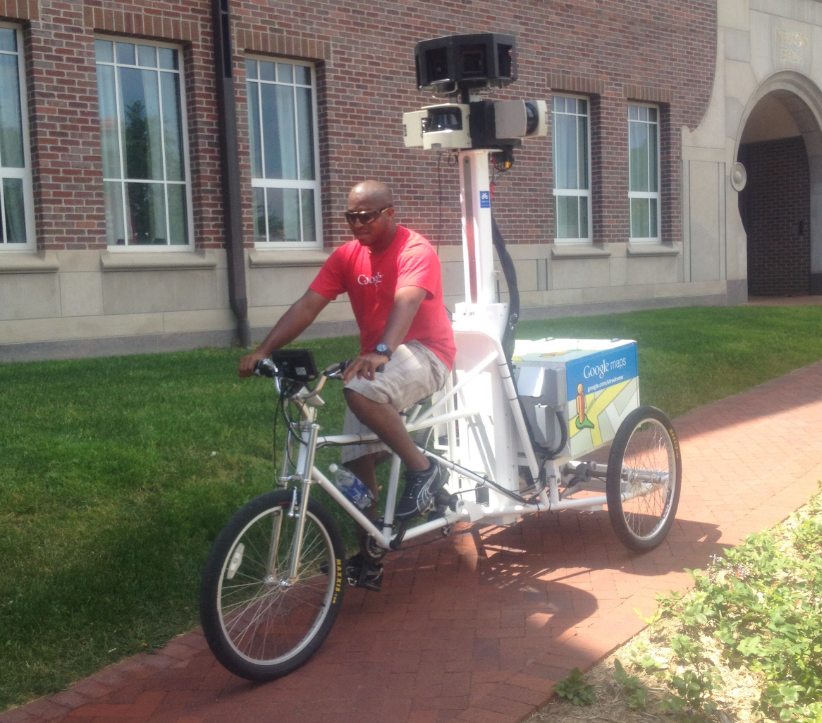
What I saw on campus (June 28, 2012)